For security reasons, a second guardian link can be created either by the first guardian or by Suomisport Customer Support.
1) The first guardian adds the second guardian
- Sign in to your account.
- From your account, switch to the dependent’s account by clicking the dependent’s name.

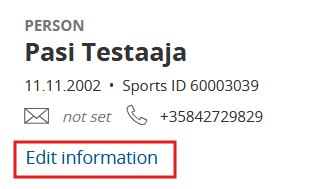
- Go to Edit details on the dependent’s profile.
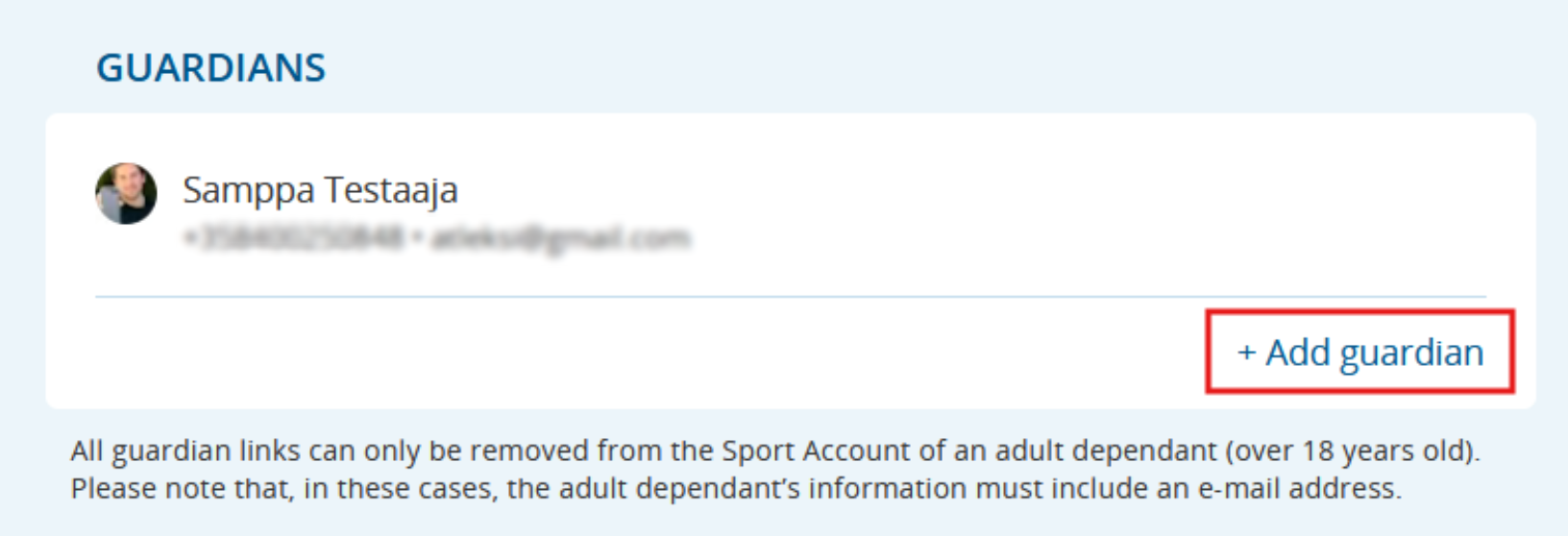
- Click Add guardian.
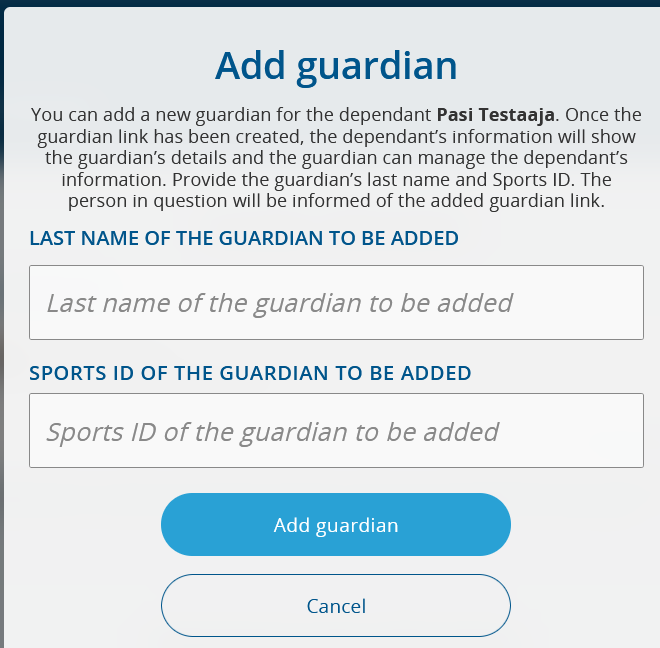
- Add the guardian using their Last name and Sports ID.
2) Suomisport Customer Support creates the link
- The guardian who already has a guardian link to the dependent contacts Suomisport Customer Support.
- The guardian provides Customer Support with the dependent’s Sportti ID (or the dependent’s name and date of birth) plus the Sportti ID of the guardian to be added.
- Customer Support creates the guardian link.
Was this article helpful?
That’s Great!
Thank you for your feedback
Sorry! We couldn't be helpful
Thank you for your feedback
Feedback sent
We appreciate your effort and will try to fix the article