Login has been updated.
From now on, all users sign in with the email saved to their Suomisport account and a password.
If you don’t have a password yet, follow the steps below to create one.
How to create or reset your password (web version)
- Go to www.suomisport.fi and click Log in in the top-right corner.
- On the login page, click Create password.
- Enter the email address or phone number that is saved on your account.
- If your account does not have login details (or you no longer have access to them), please contact Customer Support.
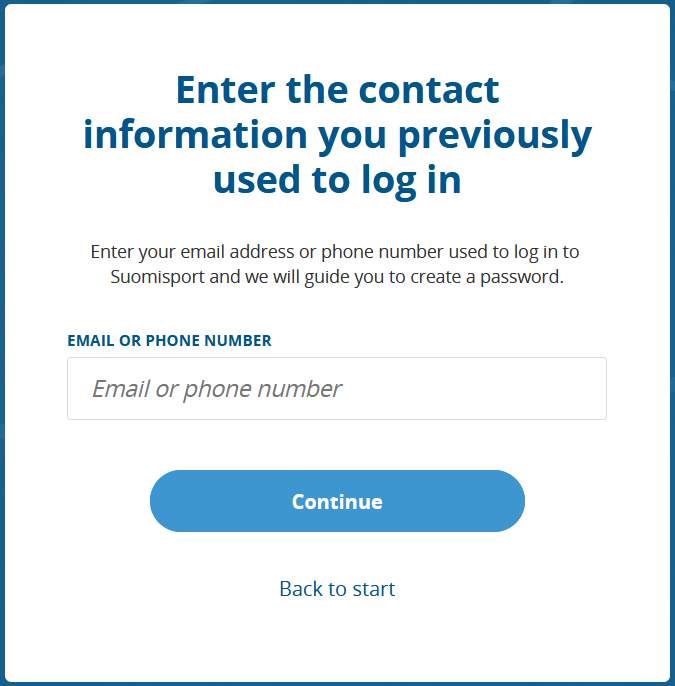
- If your account does not have login details (or you no longer have access to them), please contact Customer Support.
- If you entered your email address, we will send you a link to create or reset your password.
If you entered your phone number,we will send you a 6-digit one-time login code (valid for 10 minutes). Enter the code into the number field on the screen.- After entering the phone code, you must verify your account email, because sign-in uses the email + password combination. Enter the verification code sent to your email.
- Create your password.
- Your password must be at least 12 characters long and include lowercase letters, uppercase letters, and numbers.
Get the Suomisport app
The Suomisport app is the easiest way to access your Suomisport account.
You can sign in by requesting a one-time login code with your phone number.
Find the Suomisport app in your app store (Android/iOS).


Was this article helpful?
That’s Great!
Thank you for your feedback
Sorry! We couldn't be helpful
Thank you for your feedback
Feedback sent
We appreciate your effort and will try to fix the article