This article provides instructions for tracking both membership fees and season fees.
You can track the payment status of member class membership fees or group season fees in three different places, depending on your needs:
- Payments overview page
- The Payments tab of a Member class or Group
- Reports
Payments Overview Page
The Payments page always shows a real-time view of the club’s season fees and membership fees.
From the club home page, go to Administration tools → Payments.
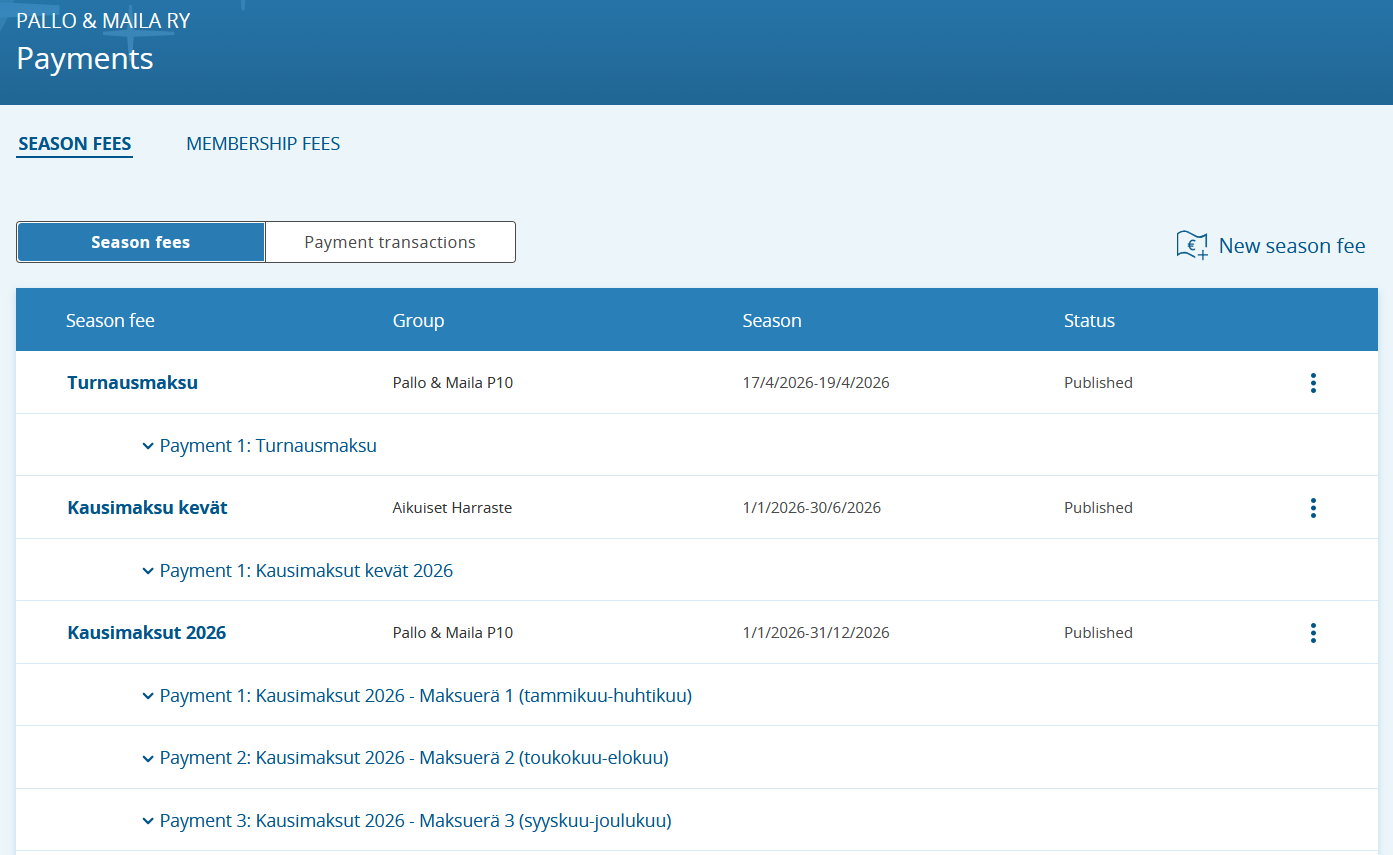
On the page, you can choose to display either the club’s Season fees or Membership fees. Open a fee category and expand it to see the names of people who have paid and have not paid.
Image: Payments overview page
From the Member Class or Group Payments Tab
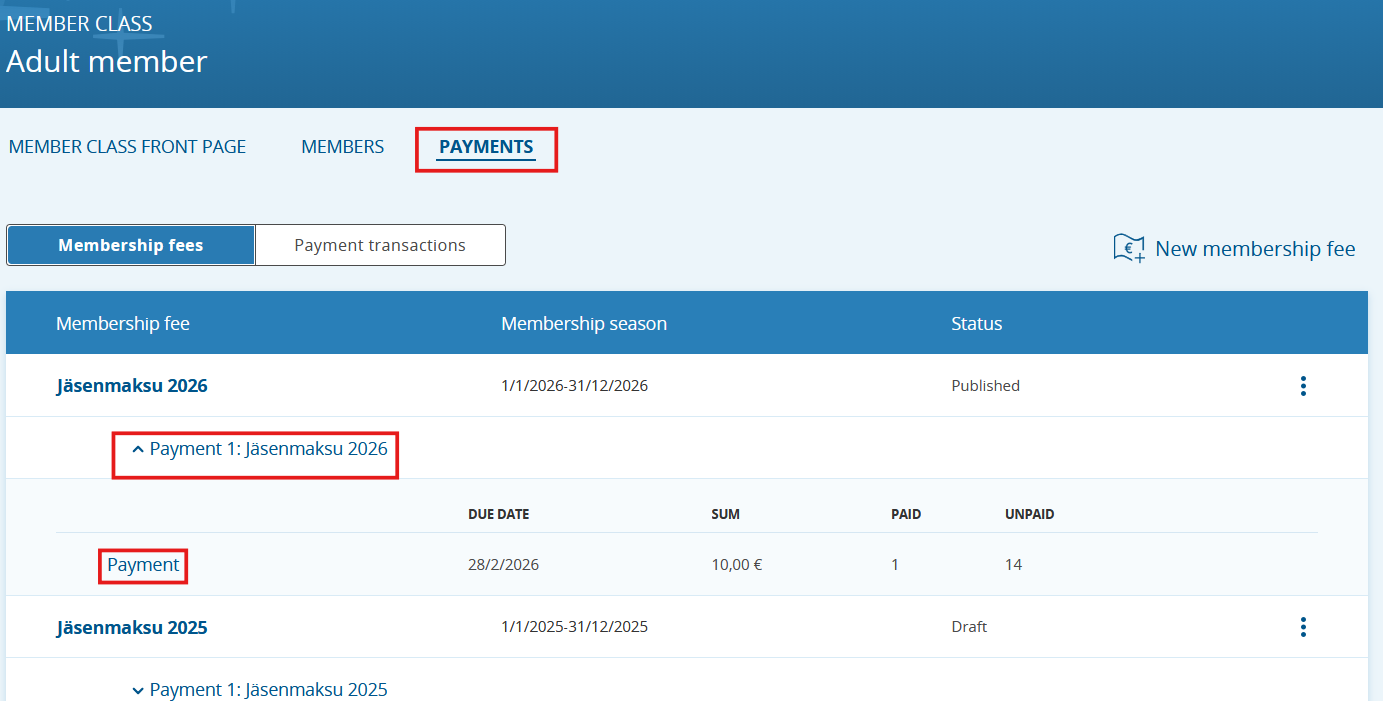
- Open the desired member class or group by clicking its name.
- Go to the Payments tab.
- Click the desired fee under Fee to see the real-time payment status.
Image: Payments tab in a member class, with the button for tracking payment status highlighted in red. The view is identical for groups.
Season & Membership Fees Summary Report
You’ll find the Season & Membership Fees report (as well as other reports on the Reports page—Extended member data, Group personal data, Group attendance data) under Administration tools → Reports.
The Season & Membership Fees report is a summary report of all the club’s paid and unpaid season and membership fees.
Note: This report does not include payments from the Events tool, nor payments collected on group registration pages!
Report presentation is still being improved; at the moment, the easiest way to analyze reports is to export them (e.g., to Excel). Handle all data in accordance with data protection regulations!
Export the report in your preferred format using the cloud icon in the bottom-right corner (see image below).
After downloading the report, the easiest way to list all unpaid fees is to filter either the Paid amount or Payment date column to show (Blanks- (Tyhjät))—i.e., rows where this information is missing.
Image: how to filter to show Blank values (Tyhjät)
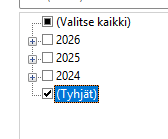
Image: Season & Membership Fees report and the report download button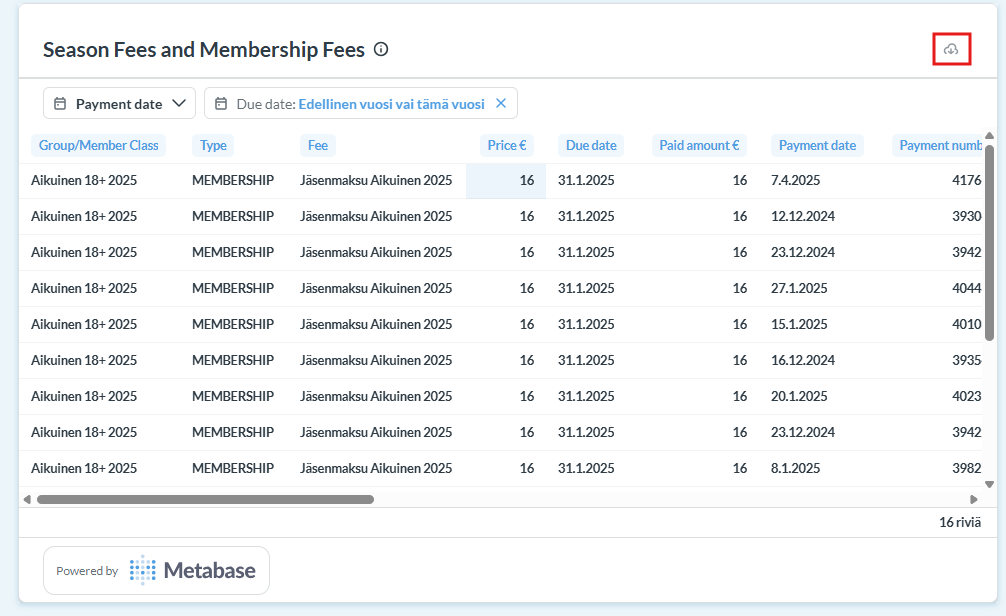
Was this article helpful?
That’s Great!
Thank you for your feedback
Sorry! We couldn't be helpful
Thank you for your feedback
Feedback sent
We appreciate your effort and will try to fix the article