This article explains how to create membership fees for member classes.
Suomisport follows association law–compliant membership management. A person’s club membership remains valid until they notify the club that they no longer wish to be a member, or if the person’s membership is removed in accordance with the club’s rules.
Membership fees are always created per member class, so please make sure your member classes have been created before you create any fees. See the guide for creating member classes here >
How to create membership fees for member classes
- Go to Members and click the member class name to open its home page.
- Go to the Payments tab and create a fee by clicking "New membership fee".
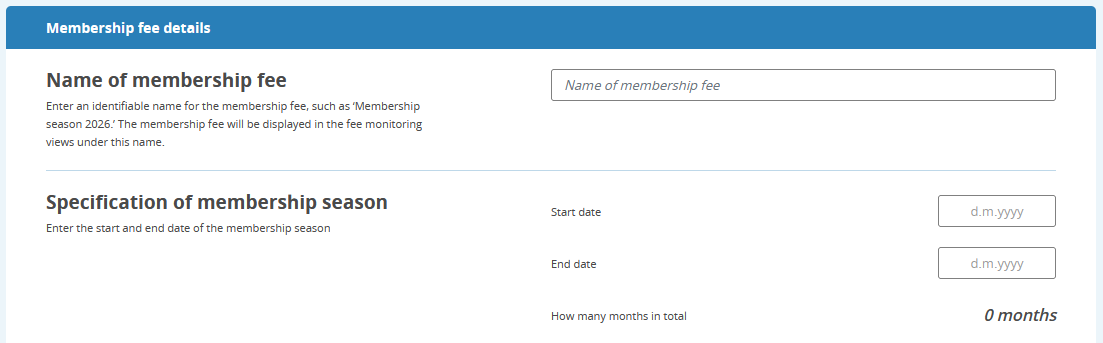
- Name the membership season and define its duration. The membership season is usually the calendar year.
The length of the season affects how fees can be assigned within the member class.
You can assign fees in a member class only to members who were part of the class during the fee’s season.
Image: Naming and defining the membership season
- Fill in the requested fee details.
Note: You can also create a fee in advance even if there are not yet any members in the member class (e.g., during the onboarding phase of membership management).
Image: Creating a fee and the fields to complete
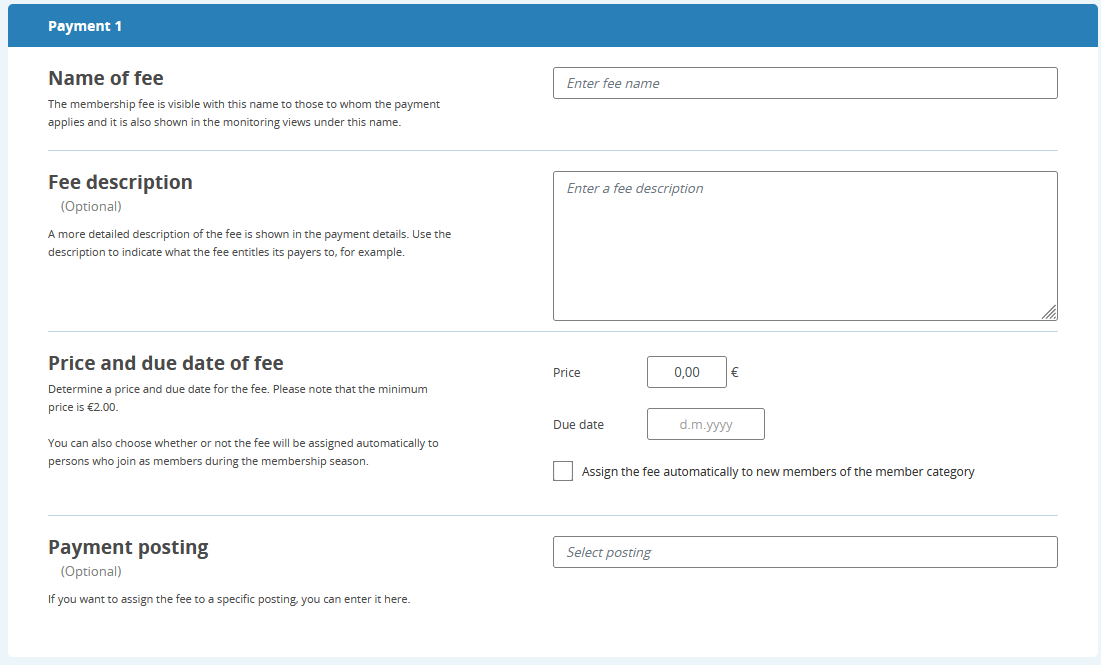
Fee details and descriptions:
- Fee name: Name the fee consistently, for example, Membership Fee 2026. The fee will appear under this name in the member’s Suomisport account payments and in the club’s reports.
- Fee description: Appears as additional information under the fee name on the member’s Suomisport account (app and web). For the club, the description appears in the fee details.
- Fee amount and due date: The due date must be within the membership season defined earlier. You can also choose to automatically assign the fee to people who join the member class during that season.
- Fee account allocation (posting): Assigns the fee to a specific accounting code if Suomisport is connected to an electronic financial management system. You can also enter this information manually.
- After creating the fee, proceed to assign the fee.
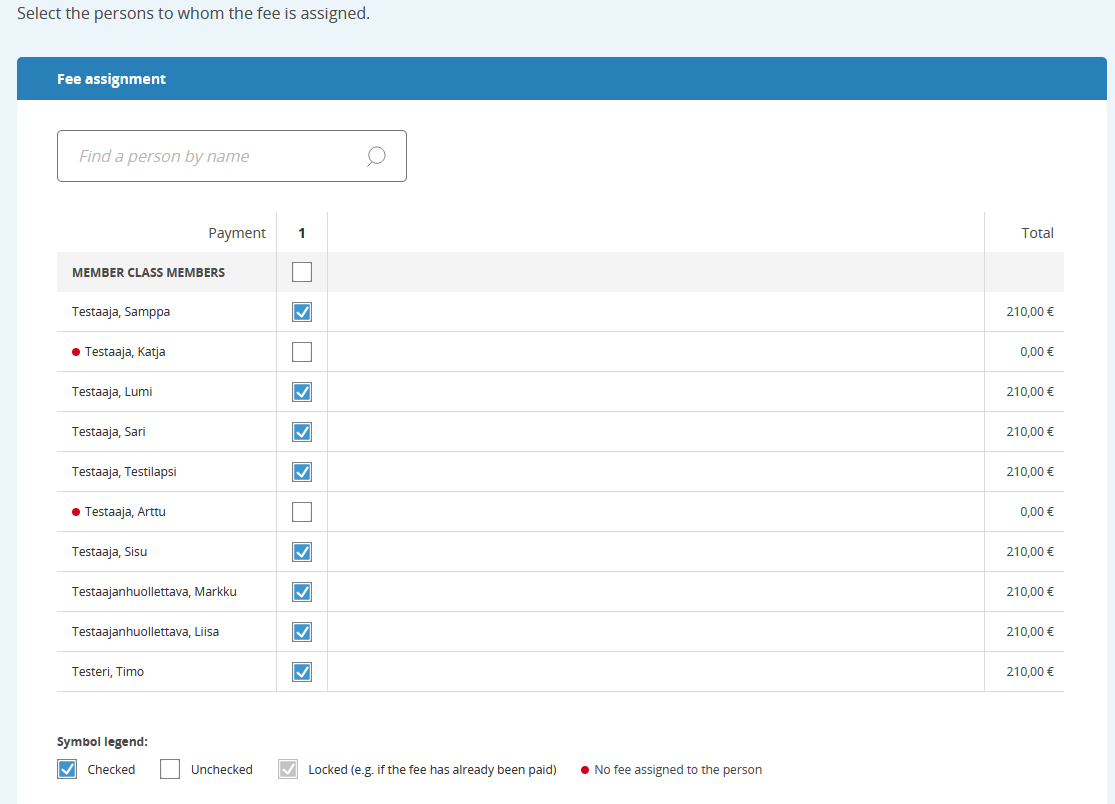
You can assign the fee to everyone in the member class at once by clicking the top checkbox, or individually by checking the box next to each desired person. A person who is not marked for the fee will not receive it.
Image: Assigning the fee
- Publish the fee, or save as draft to publish later.
- After publishing, the fees you assigned become immediately payable for the selected people in their Suomisport accounts. The person and their guardian(s) will receive a notification about the new club-assigned fee by email and in the Suomisport app.
- For overdue fees, an automatic notification is sent in the Suomisport app and by email. Reminder messages are sent on the due date and every 14 days thereafter until the fee has been paid.
- In the email notifications for a new fee and reminders, the contact email shown is the section email address (in single sport clubs the term is Activities) that your club has saved in Suomisport. Please check that the section email address is correct before assigning fees! You can find the section email by clicking “View details” on the club home page and selecting Section (Activites).
- Created fees can be edited, reassigned, cancelled, or deleted, even after publication.
- At the start of a new membership season, create a new fee for the member class using New membership fee only—no need to recreate the class.
Watch the tutorial video on creating membership fees (in finnish)
Was this article helpful?
That’s Great!
Thank you for your feedback
Sorry! We couldn't be helpful
Thank you for your feedback
Feedback sent
We appreciate your effort and will try to fix the article